How to See Bluetooth Devices Nearby on a Mac
Find nearby and connected Bluetooth devices on macOS using System Settings and System Information, and keep a list of known versus unknown devices around your Mac with Pulse Guard.
Your Mac can see more Bluetooth devices than the ones you have paired: phones, headphones, watches and trackers nearby all advertise themselves. Here is how to see them with built-in tools, and how to keep an ongoing list.
1. System Settings
Open System Settings → Bluetooth. Your paired devices appear under My Devices, and devices that are discoverable right now appear under Nearby Devices.
2. Bluetooth in the menu bar
Click the Bluetooth icon in the menu bar or Control Center to see connected devices. Holding Option while clicking shows extra details for connected devices.
3. System Information
Hold Option, open the Apple menu and choose System Information, then select Bluetooth. It lists connected and previously connected devices with technical details.
4. A running list of known and unknown devices
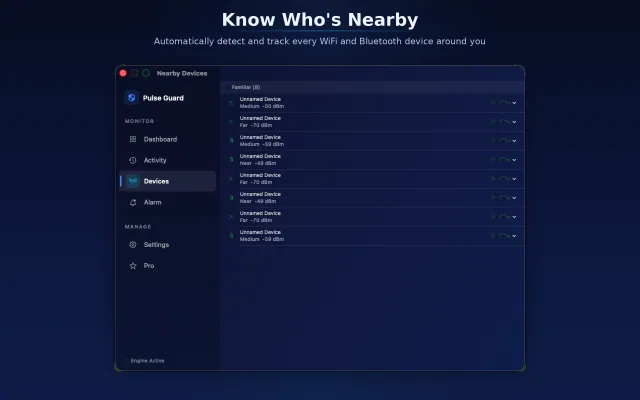
The built-in views show a moment in time. Pulse Guard scans continuously from the menu bar, records nearby devices and marks them as known or unknown, so a new device appearing near your desk stands out. It runs entirely on the Mac.
What this can and cannot tell you
Many devices use changing (randomized) Bluetooth addresses and generic names, so you often cannot tell exactly what a device is or who owns it. Treat an unknown device as a hint, not an identification.
Frequently asked questions
How do I see nearby Bluetooth devices on my Mac?
Open System Settings → Bluetooth and look under Nearby Devices. For a continuous list, use an app such as Pulse Guard.
Can I see who is near me by Bluetooth?
You can see devices, not people. Names are often generic and addresses can change, so a device cannot reliably be linked to a person.
How do I see Bluetooth device details on a Mac?
Hold Option and click the Bluetooth icon in the menu bar, or open System Information and choose Bluetooth.