Can a Mac Be a HomeKit Hub? What Works and What Doesn't
A Mac cannot be an official Apple home hub, but it can control HomeKit accessories and run your own automations. Here is what that means and how to set it up with Pulse Home.
Short answer: no Mac, including a Mac mini or MacBook, can be the official home hub in Apple's Home app. That role belongs to Apple TV and HomePod. The hub is what Apple uses for remote access, shared control and many automations. A Mac can still do useful hub-like work: it can control HomeKit accessories and run automation rules of its own while it stays on at home.
What an Apple home hub does
A home hub keeps your accessories reachable when you are away, lets other people in your home control them, and runs automations that do not depend on one person's iPhone. Without a hub, many of these features are unavailable.
What a Mac can do instead
- Control HomeKit accessories through apps that use Apple's HomeKit framework.
- Run rules locally, triggered by presence, location zones or time, without a cloud service.
- Send webhooks to Home Assistant, Node-RED or IFTTT for devices outside HomeKit.
Setting it up with Pulse Home
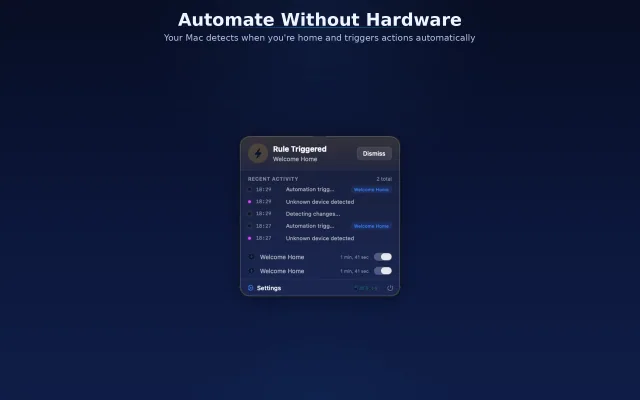
Pulse Home turns a Mac that is usually on at home into an automation engine. Create rules in the visual rule builder with a trigger (WiFi presence or a geofence), optional conditions and delays, and actions such as HomeKit scenes or webhooks. Rules run on the Mac, and the menu bar shows their status. See the guide on arrive and leave automations for a step-by-step rule.
Limits to plan for
- The Mac must be on and awake for rules to run; set Energy Saver accordingly.
- It does not replace an Apple TV or HomePod for remote access or shared control in the Home app.
- A MacBook that leaves the house takes its automations with it; a desktop Mac or a Mac mini is a better fit.
Frequently asked questions
Can a Mac mini be a HomeKit hub?
Not as an official home hub in the Home app. A Mac mini can still run automation rules and control HomeKit accessories with an app like Pulse Home while it stays on.
Does HomeKit require a hub?
Many features do, including remote access and most automations. An Apple TV or HomePod acts as the hub.
What is HomeKit on Mac?
On a Mac, the Home app lets you control your accessories, and apps can use the HomeKit framework to read and control them.