Home Security Without a Camera: Private Options Compared
Compare camera-free ways to monitor your home: door and window sensors, motion sensors, smart lock logs, alarm systems and WiFi sensing with a Mac. What each detects and what it costs in privacy.
Cameras are the obvious choice for home security, but they also record you, your family and your guests. If you want to know when something happens without filming it, there are several options. They differ in what they detect, what they cost and what data they keep.
Door and window contact sensors
Detect when a door or window opens. Reliable and cheap, but they only cover the openings you equip, and you need a hub or app.
Motion sensors (PIR)
Detect body heat moving across their field of view. Good for hallways and rooms; pets can trigger them unless you choose pet-immune models.
Smart locks and doorbells without video
Lock logs tell you when a door was unlocked and by which code or key. Useful in homes with several people or regular visitors.
Professional alarm systems
Combine sensors with monitoring and a siren. The strongest option for break-ins, with ongoing costs.
WiFi sensing with a Mac
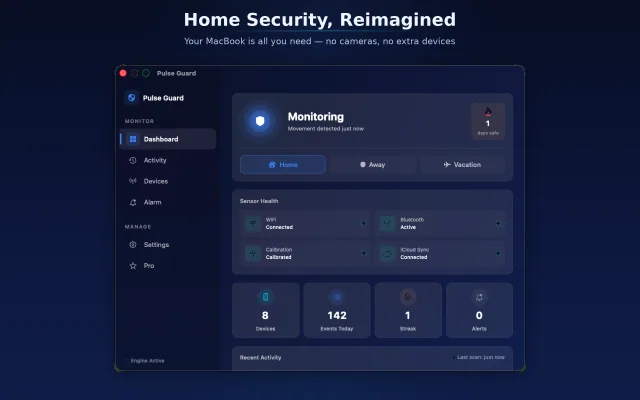
People change WiFi signals as they move. Pulse Guard uses this on a Mac you already own: it calibrates a room, watches the WiFi signal strength and nearby Bluetooth devices, and alerts you when the room changes. No camera and no extra hardware; data stays on the Mac. It is best for a home office or a single room, and it is a hint rather than a certified alarm.
How to choose
- Worried about break-ins: an alarm system with door sensors.
- Want to know when someone enters one room: a motion sensor or WiFi sensing.
- Shared home where privacy matters: avoid cameras in private rooms; use sensors or WiFi sensing.
- Already have a Mac on the desk: try WiFi sensing before buying hardware.
Frequently asked questions
What is the most private home security option?
Options that do not record images, such as door sensors, motion sensors or WiFi sensing, keep the most privacy. Check whether data is stored locally or in the cloud.
Can WiFi be used as a motion sensor?
Yes. Movement changes WiFi signals, and software can detect those changes. Accuracy depends on the room and setup, so it works best as an alert rather than proof.
Do I need extra hardware for WiFi sensing?
Not with Pulse Guard; it uses the Mac's built-in WiFi and Bluetooth.