How to Make iPhone Video Look Like Film
Shoot and grade iPhone video for a film look: control exposure and frame rate, avoid over-sharpened footage, then apply a cinematic LUT, soften contrast and add subtle grain with Cinegrade.
Phone video often looks "digital" because it is bright, sharp, saturated and shot at a high frame rate with everything in focus. A film look comes from changing those things, partly when you shoot and partly when you grade.
1. Shoot at 24 frames per second
Film is traditionally shot at 24 fps. In the Camera settings on iPhone, choose 24 fps for video. Motion blur at 24 fps is part of what makes footage feel cinematic.
2. Protect your highlights
Blown-out skies and windows give video away. Tap to focus, then drag the exposure slider down slightly so bright areas keep detail. You can lift shadows later; you cannot recover clipped highlights.
3. Use light and depth
Shoot with light coming from the side, near windows or at golden hour. Cinematic mode adds background blur on supported iPhones; use it on subjects that stand clearly apart from the background.
4. Grade with a look, then adjust
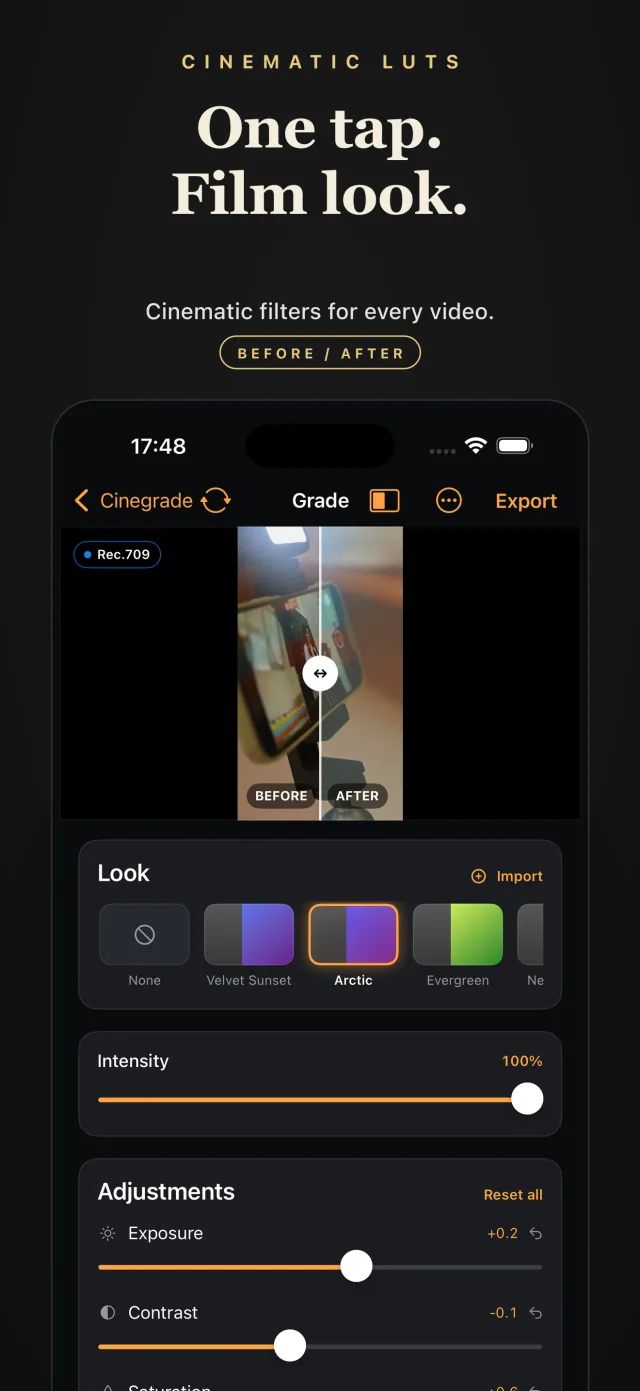
In Cinegrade, import the clip and try film-inspired looks. Lower the look's intensity until skin looks natural. Reduce contrast a little so blacks are not completely black, lower saturation slightly and warm or cool the temperature to suit the scene.
5. Add grain lightly
A small amount of grain hides the clean digital texture. Too much reads as noise. Add it last and check on a phone screen, where most people will watch.
6. Keep the look consistent
Use the same look across clips from one scene, and adjust exposure per clip so they match. For the LUT workflow in detail, see how to apply cinematic LUTs to iPhone videos.
Frequently asked questions
How do I make iPhone video look cinematic?
Shoot at 24 fps, keep highlights from blowing out, use side light and shallow depth where possible, then apply a film look and soften contrast and saturation in an editing app.
What frame rate looks most like film?
24 frames per second, the traditional cinema frame rate.
Do I need a LUT for a film look?
Not strictly, but a LUT gives you a consistent starting point that you can then adjust, which is faster than building a grade from scratch for every clip.